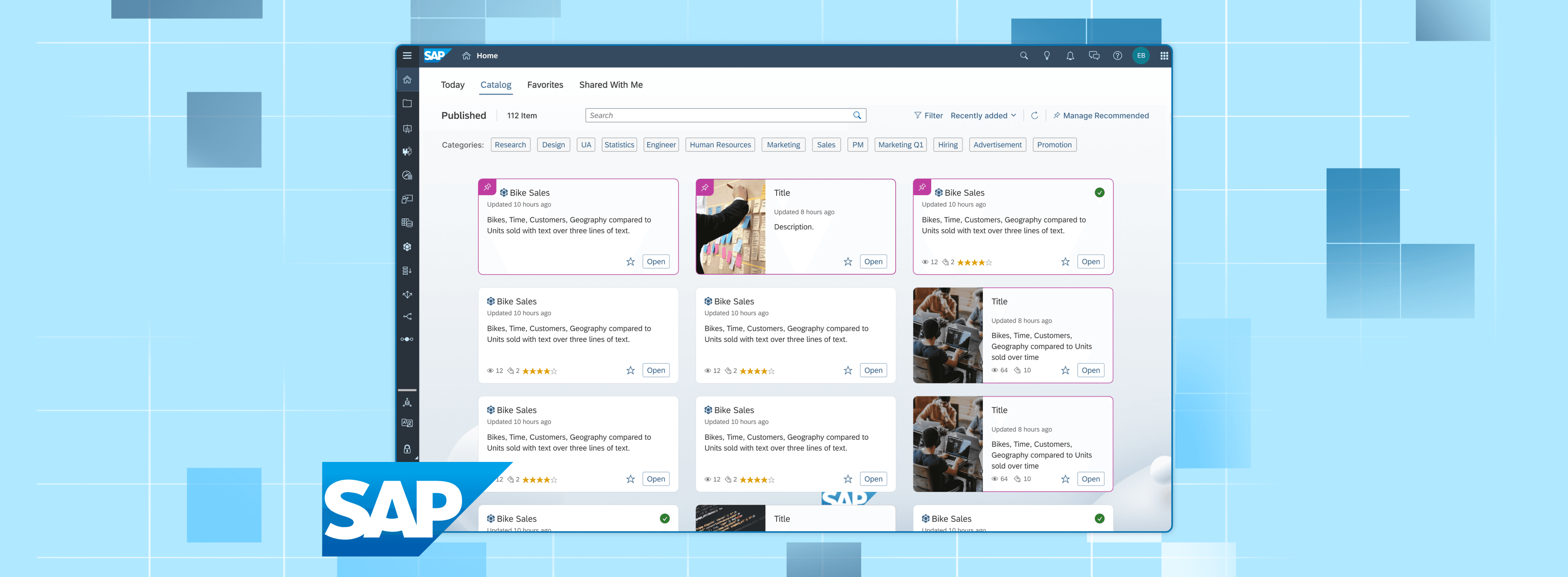
My time at SAP's Analytics Cloud's Infrastructure Team.
At SAP, I worked on improving the usability of SAP Analytics Cloud, specifically within the File Repository and Catalog while advocating for accessible design.
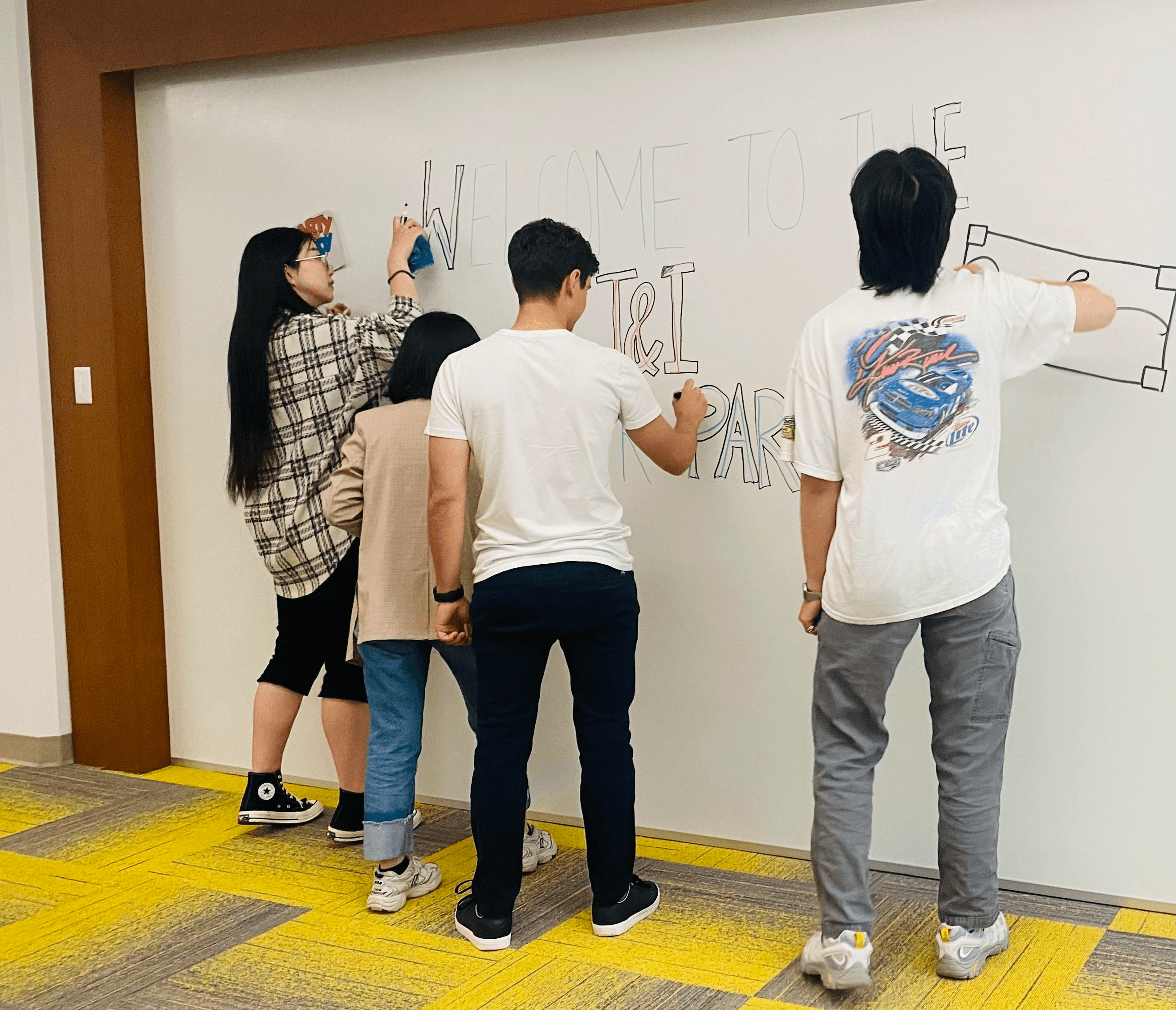
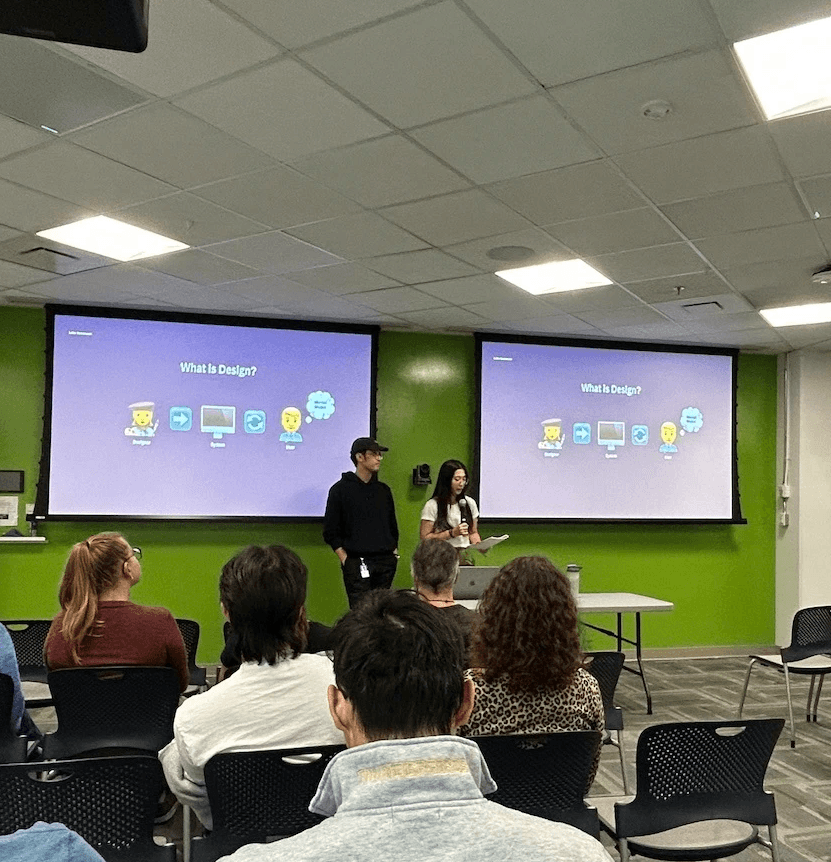
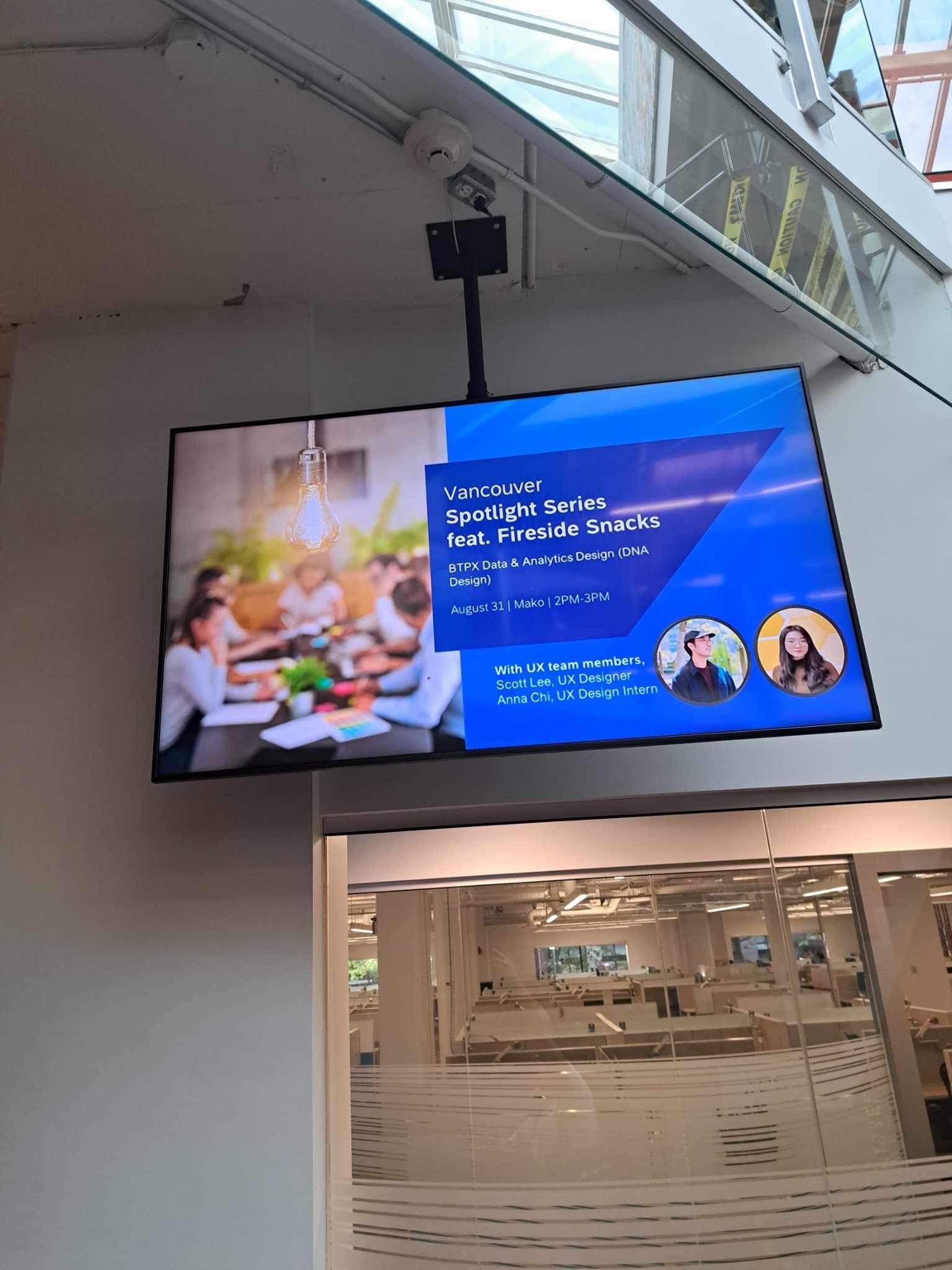
I had a chance to work on multiple different projects of Analytic's Cloud, collaborating with Product Managers and Developers. On the side, I actively worked on promoting and educating colleagues on accessible design through presenting and contributing to a growing library of annotated components for keyboard navigation as well as hosting talks and workshops.
Contributions
Visual and Graphic Design, UX Design, Prototyping, Accessibility Advocation
Tools
Figma, Jira
Team
Anna Chi, Developers, Product Managers
Projects
Improving Discoverability in the SAP Analytics Cloud Catalog.


Administrator
👨🏼💻
Jeff
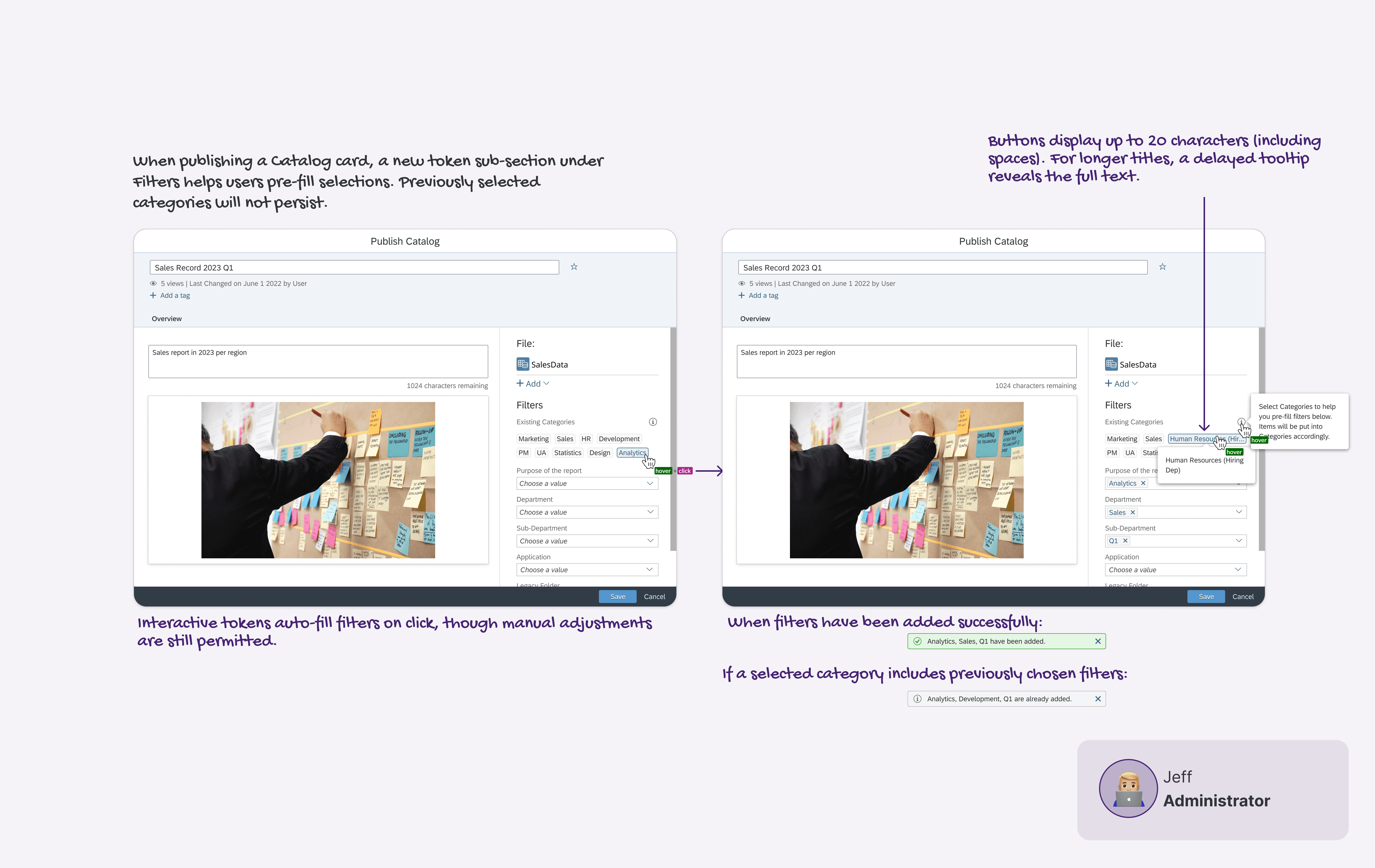
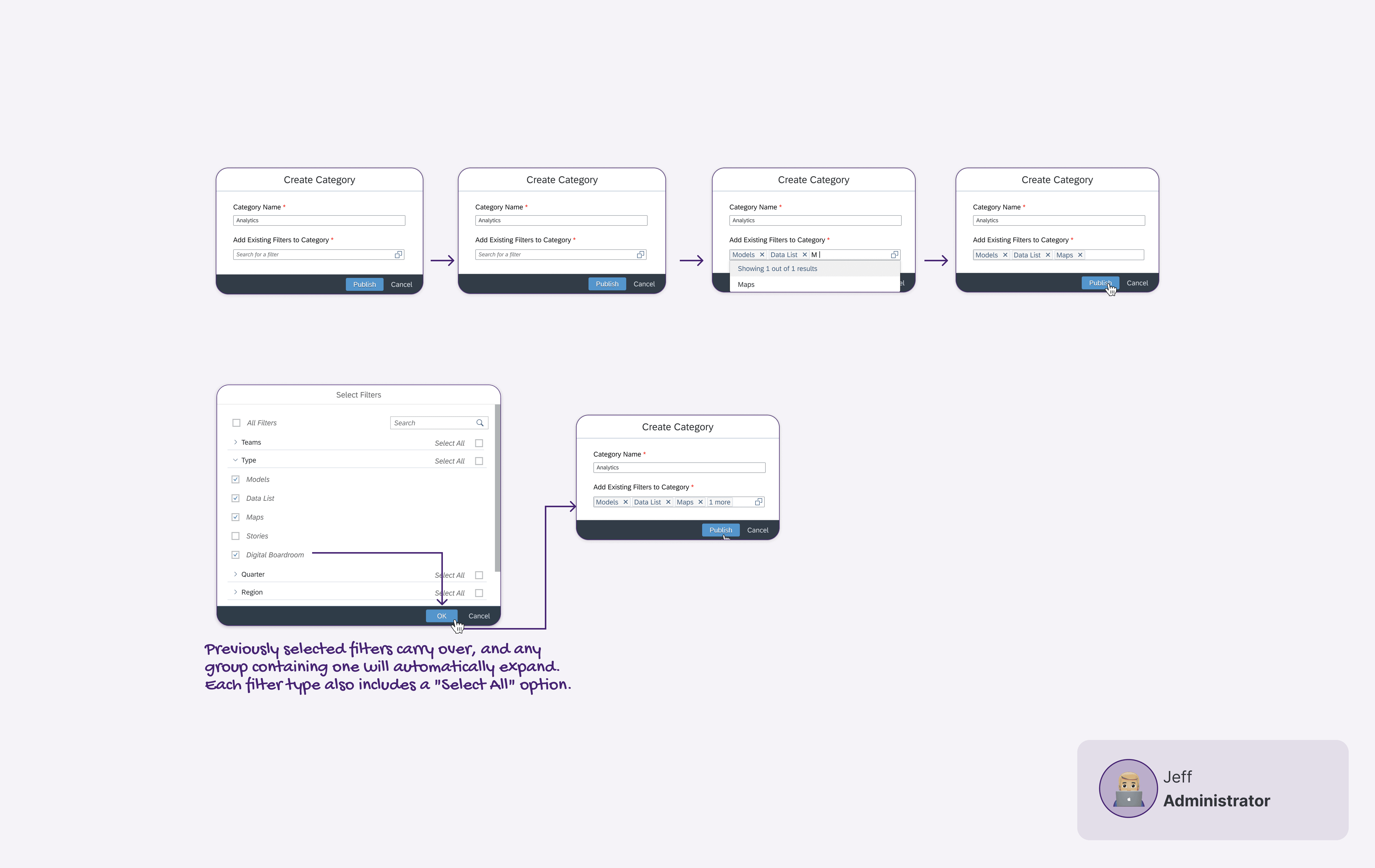
Jeff is the system admin for SAC in his organization.
He provides and maintains the creation of Groupings within Catalog.
Business User
👩🏻💻
Janice
Janise is an analyst on Jeff's team.
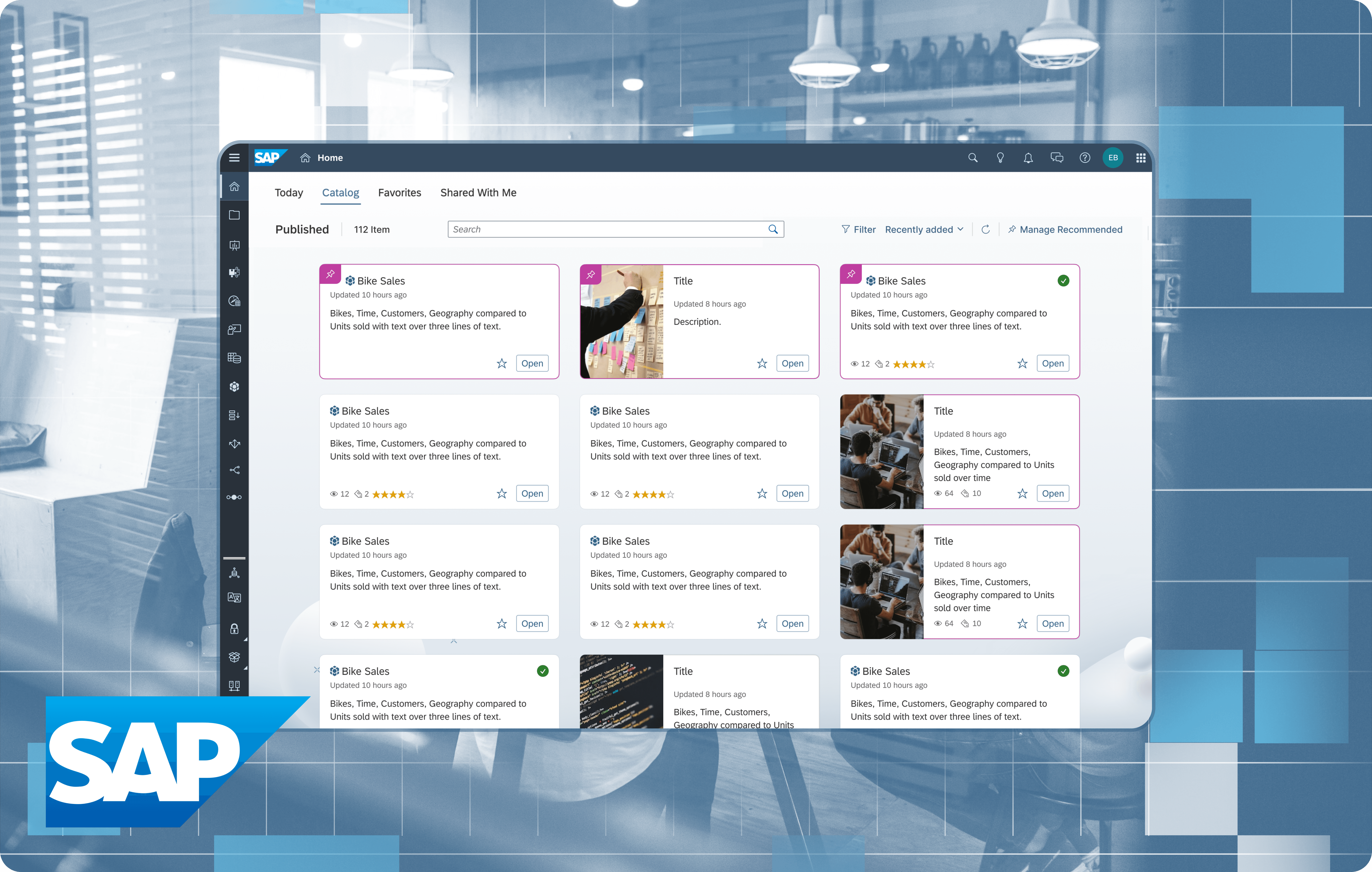
As the team's Catalog grows with content, she is having trouble finding cards that are relevant to her.
She wishes there was a way for her to view cards only relevant to her department.
Working with Constraints
Constraint #1: Working with existing components.
To ensure consistency with the current design system and make development easier, I had to work with the product's existing component library, without creating anything new.

How I dealt with this constraint.
I audited our existing component library by looking through our internal documentation and worked with developers to understand what parts of the components could be customized to perform the functionality I wanted.
Constraint #2: Accommodating existing files.
Users already had hundreds of files in the catalog, so the new feature had to work with these existing files without forcing users to manually migrate them.
How I dealt with this constraint.
I thoroughly understood the catalog functionalities and the different features it contained, and how everything worked together. This included understanding how the catalog files were set up, edited, and viewed, and how filters played a role.
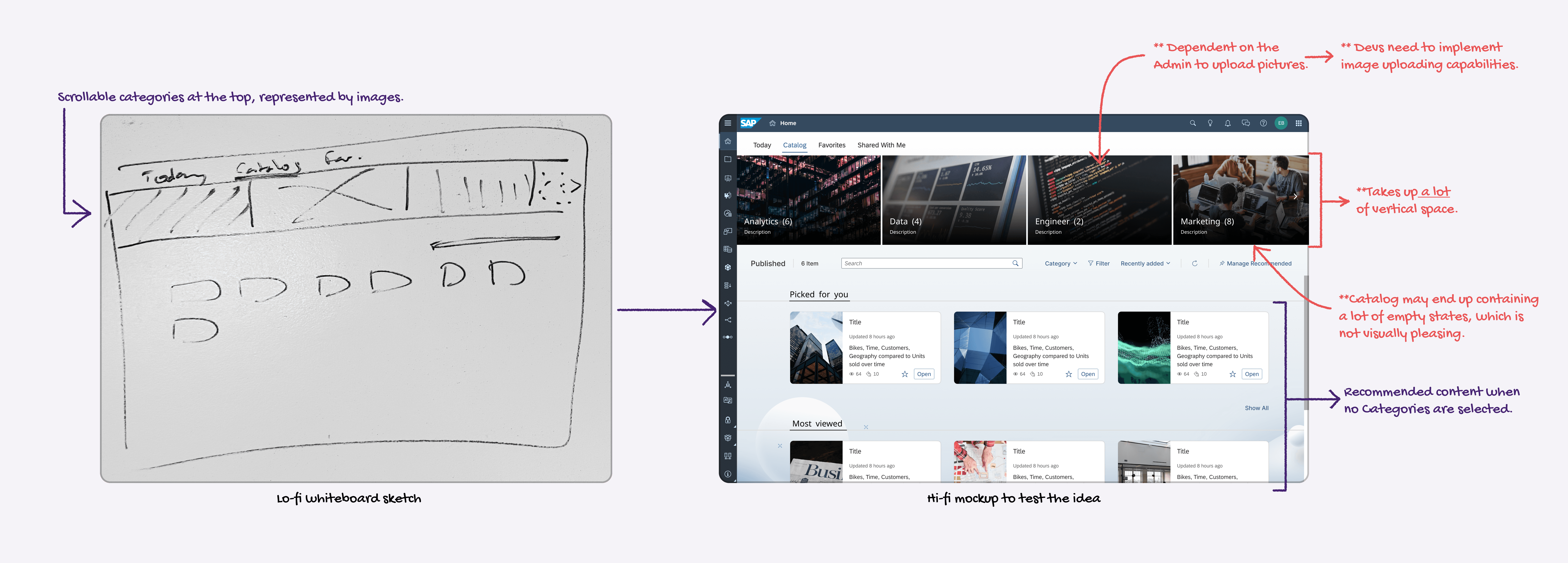
Idea #1: Using visuals to highlight folders.
I initially considered using visuals for folders, but after some testing, I found it took up too much vertical space and took focus away from the files themselves. It also posed a risk, as we couldn’t mandate images usage from our users, which could lead to an inconsistent visual experience.
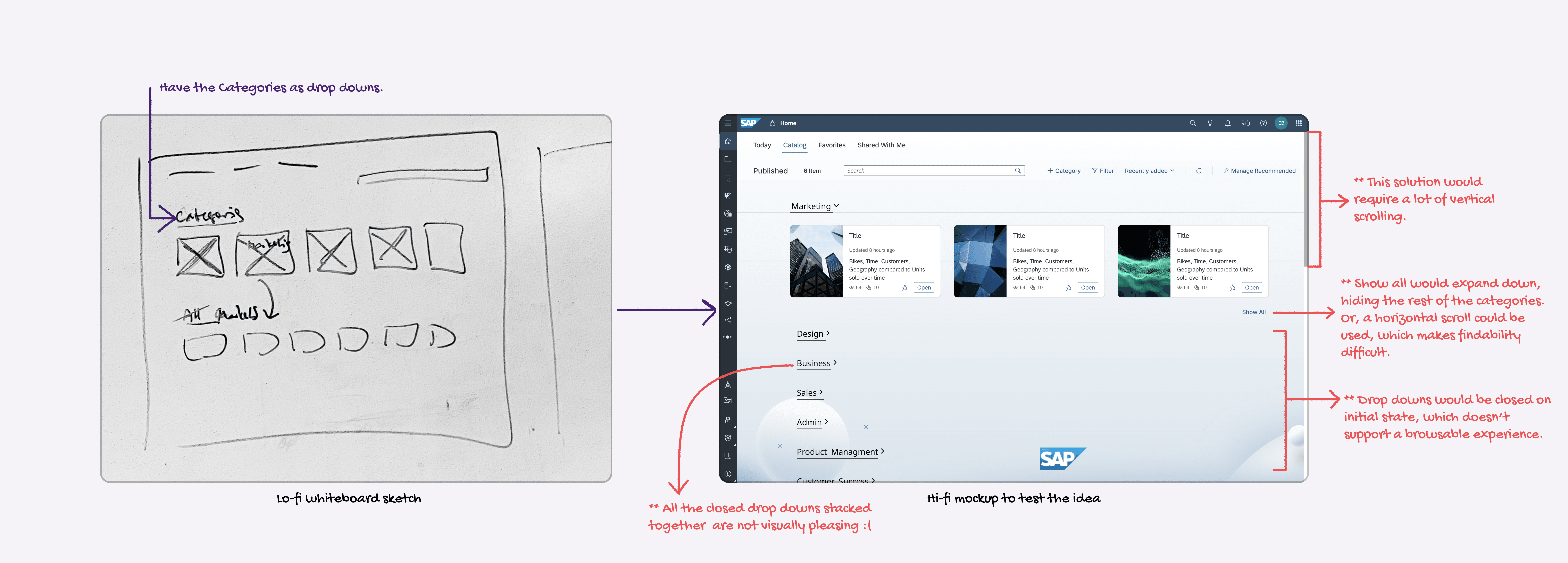
Idea #2: Using drop downs to preserve space.
Another idea was using dropdowns, a pattern already found in the product. However, testing revealed this made browsing difficult, especially for users who were just exploring. It also created complex workflows and horizontal scrolls.
Browsable Experience:
To ensure consistency with the current design system and make development easier, I had to work with the product's existing component library, without creating anything new.
Simple Setup:
A lot of my initial design ideas relied on visuals to represent categories. While this was visually appealing, we couldn't guarantee that all users would assign an image to their categories. This would lead to a visually inconsistent and messy catalog. This approach also put more work on the administrators, who would have to manually assign images.
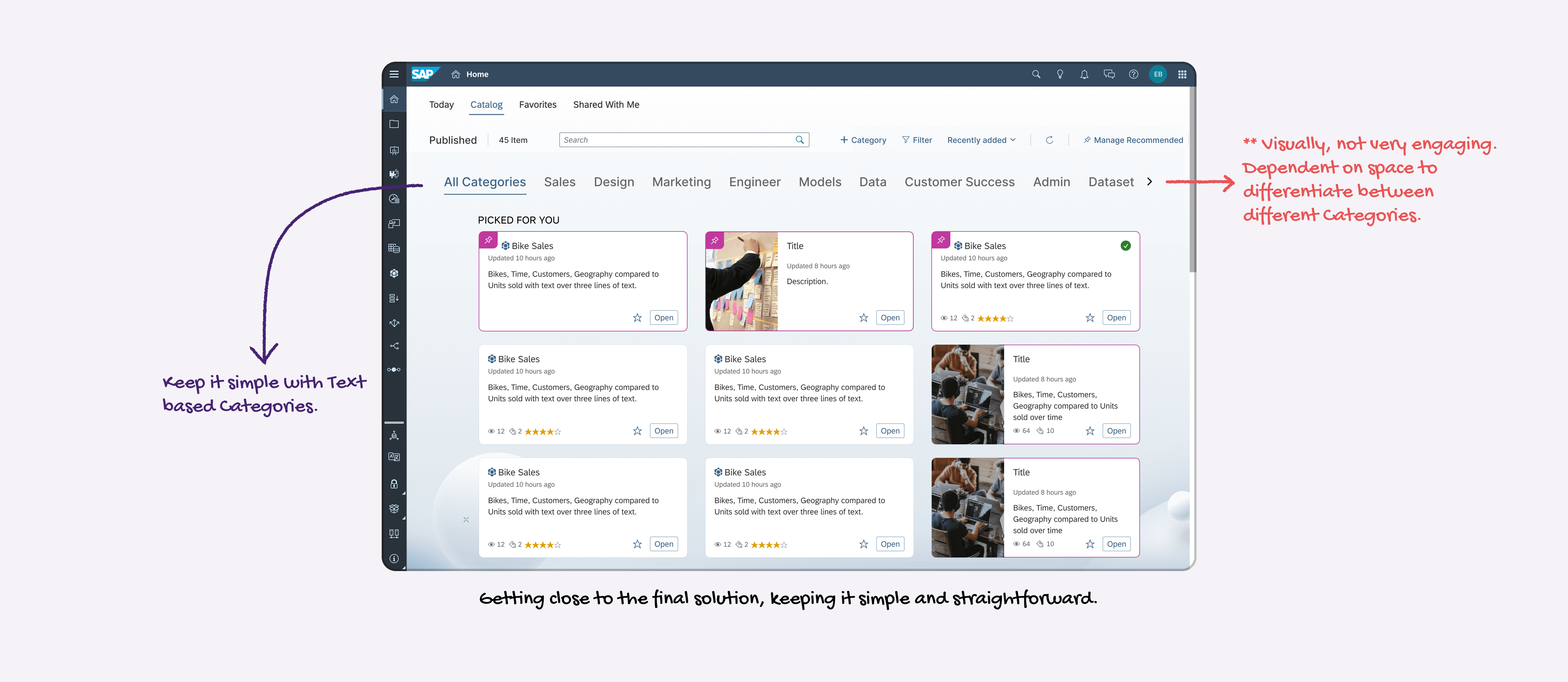
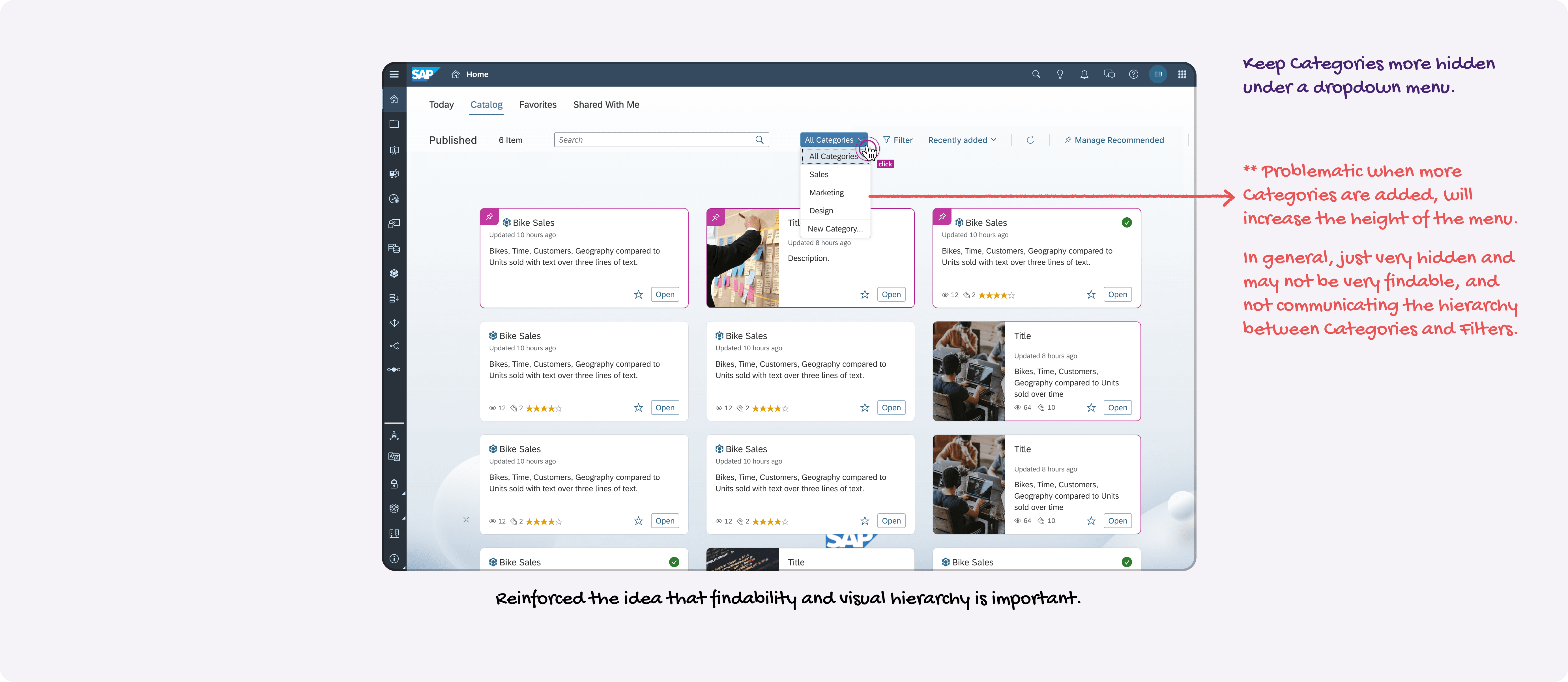
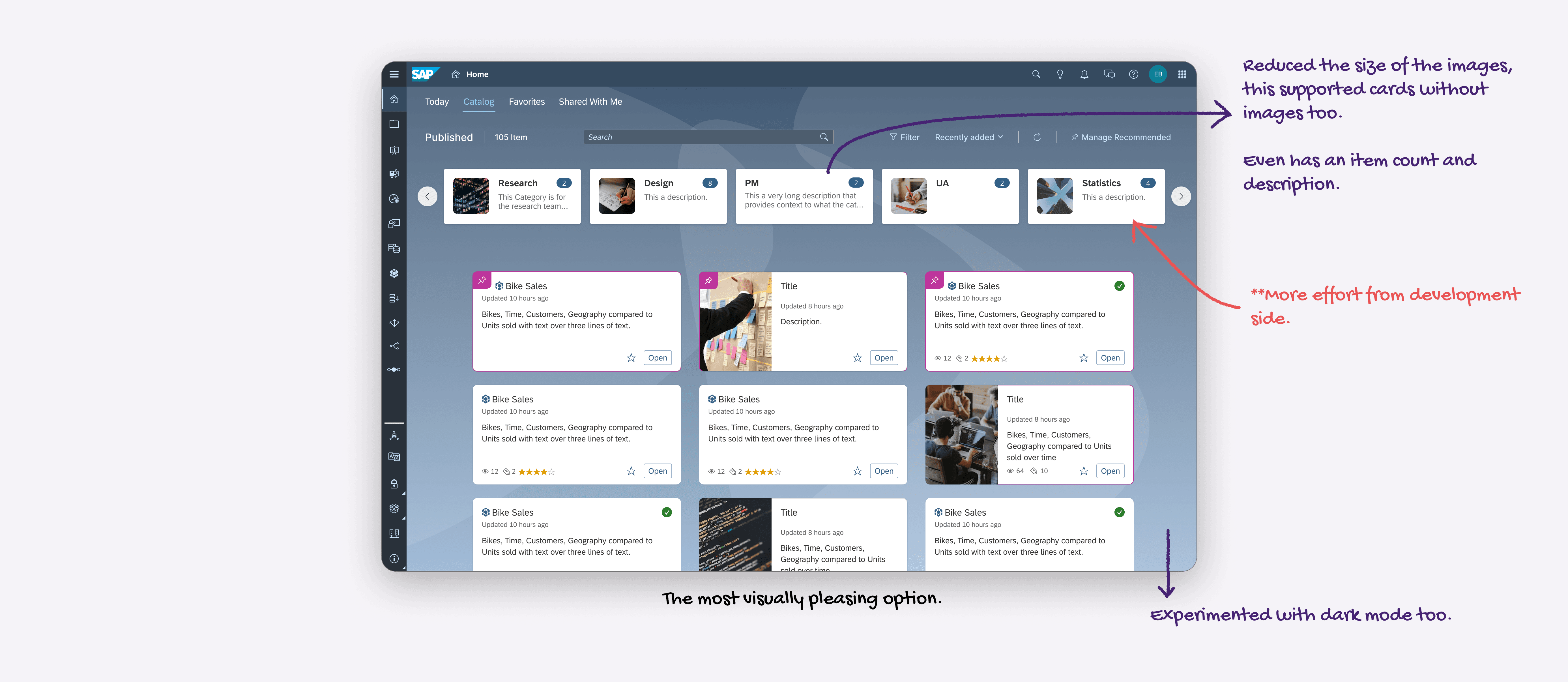
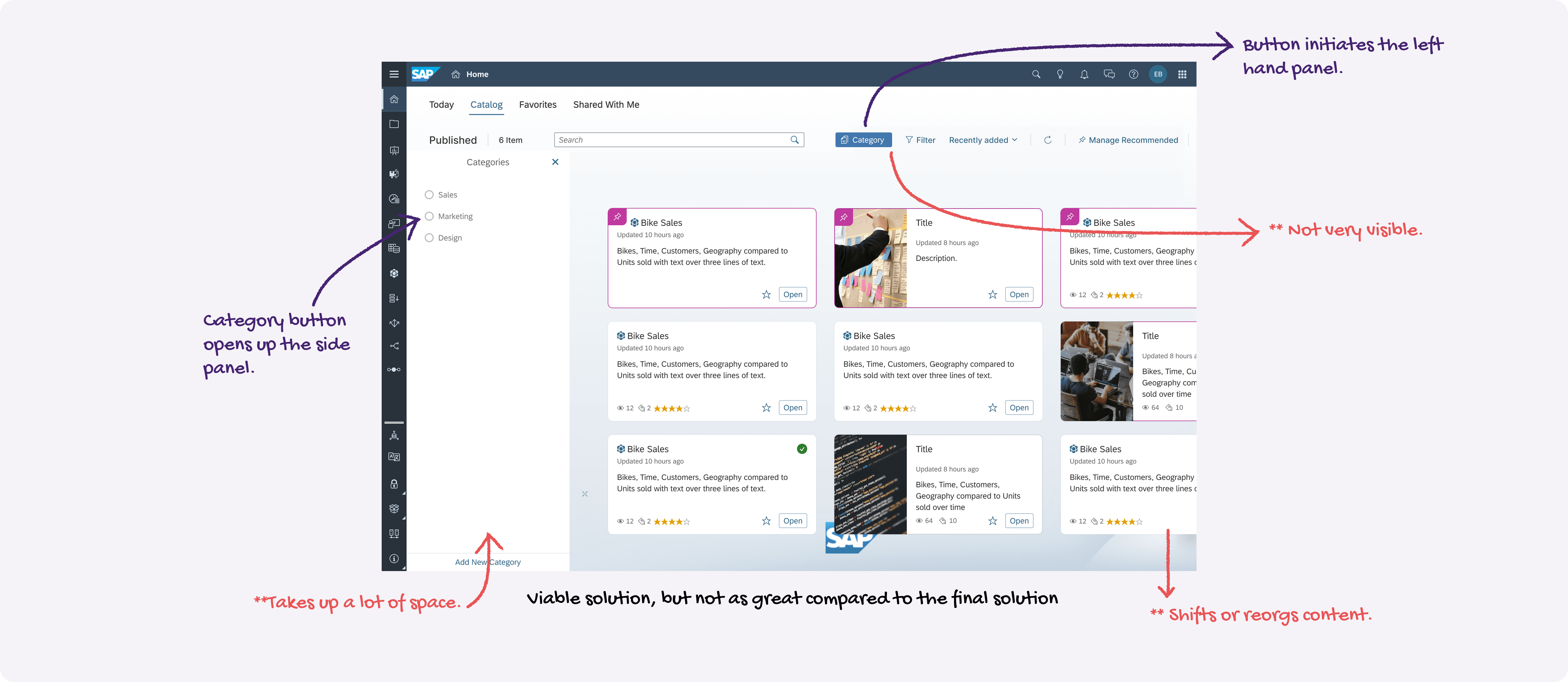
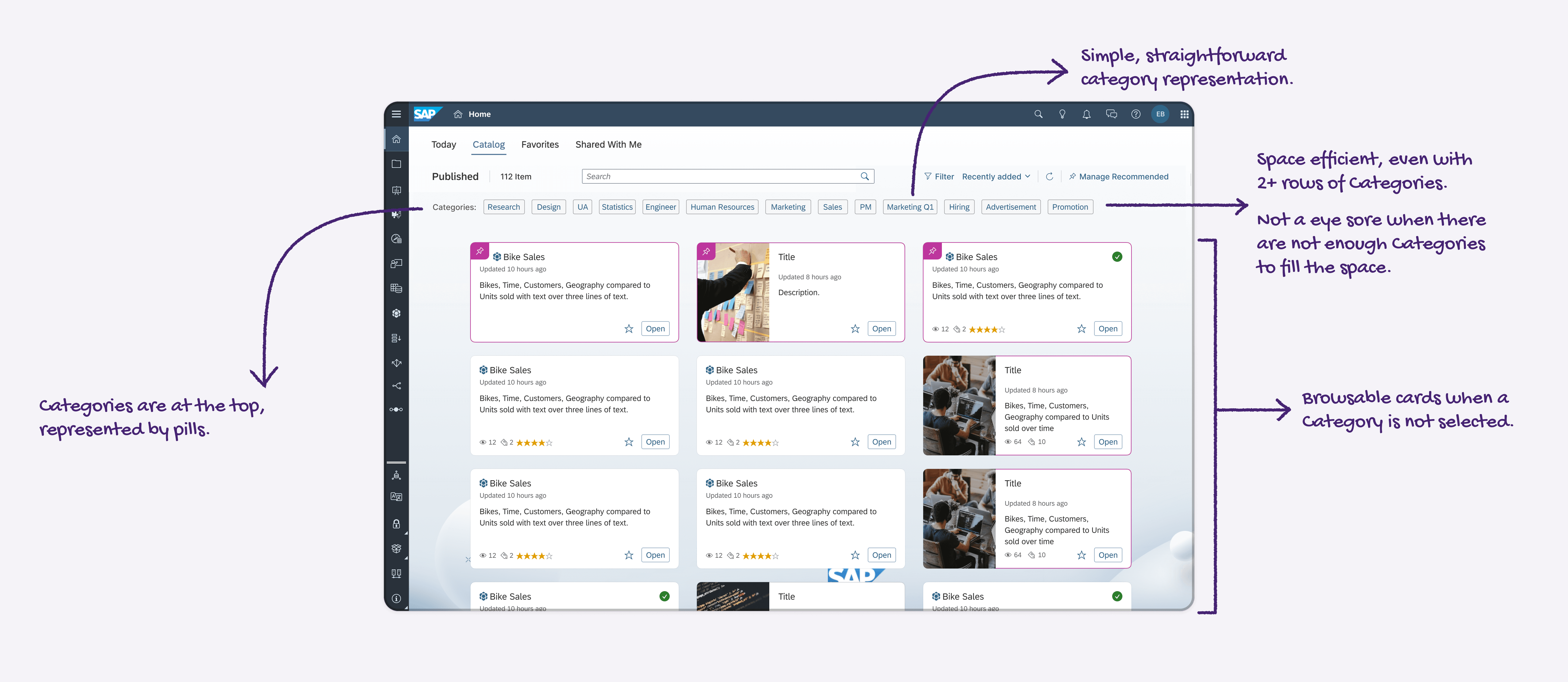
1
The new Catalog view containing folders.
3
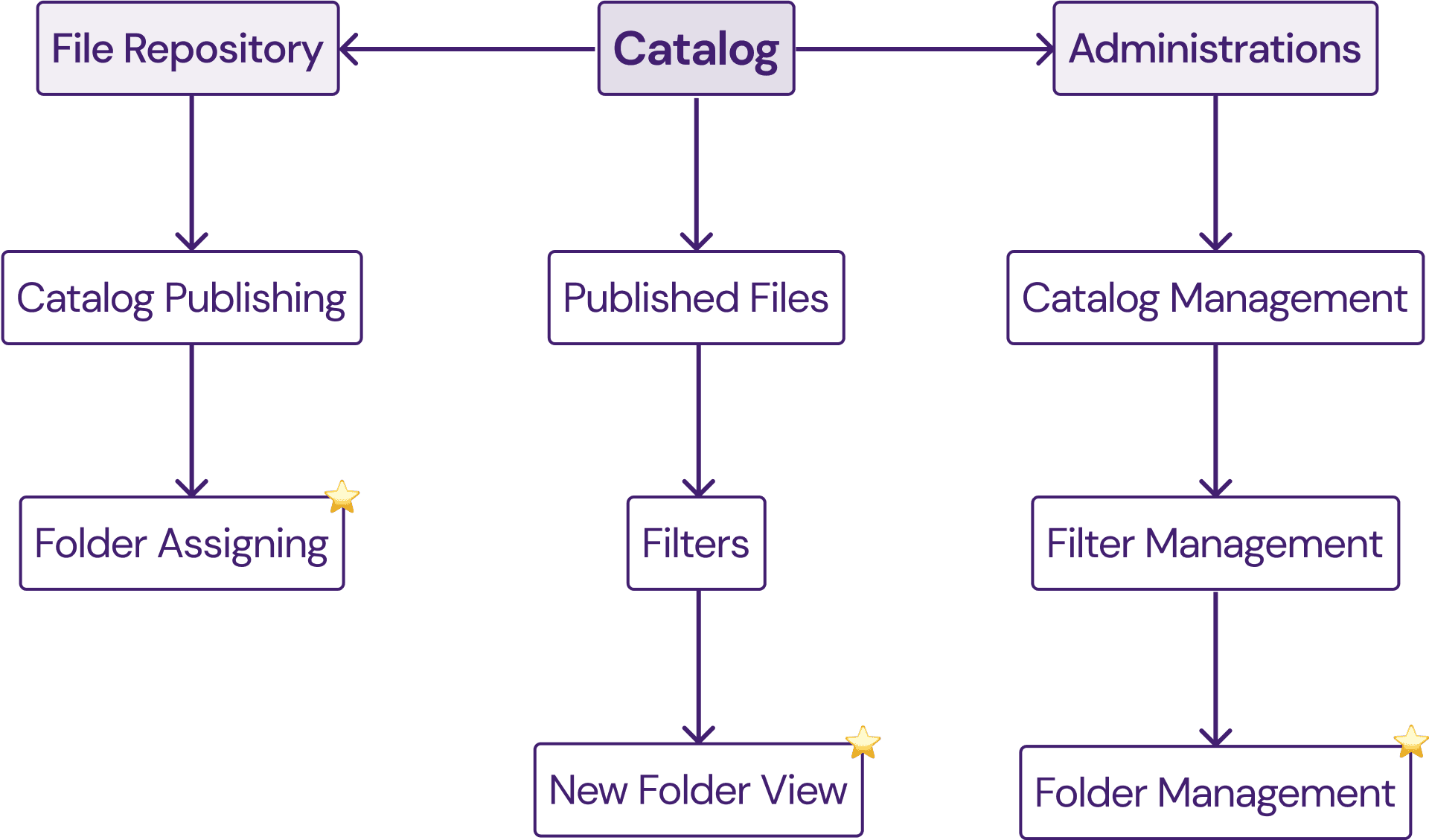
New Catalog file publishing fiow.
2
Folder creation and management flow in Administrations.
4
Edge cases and error scenarios.
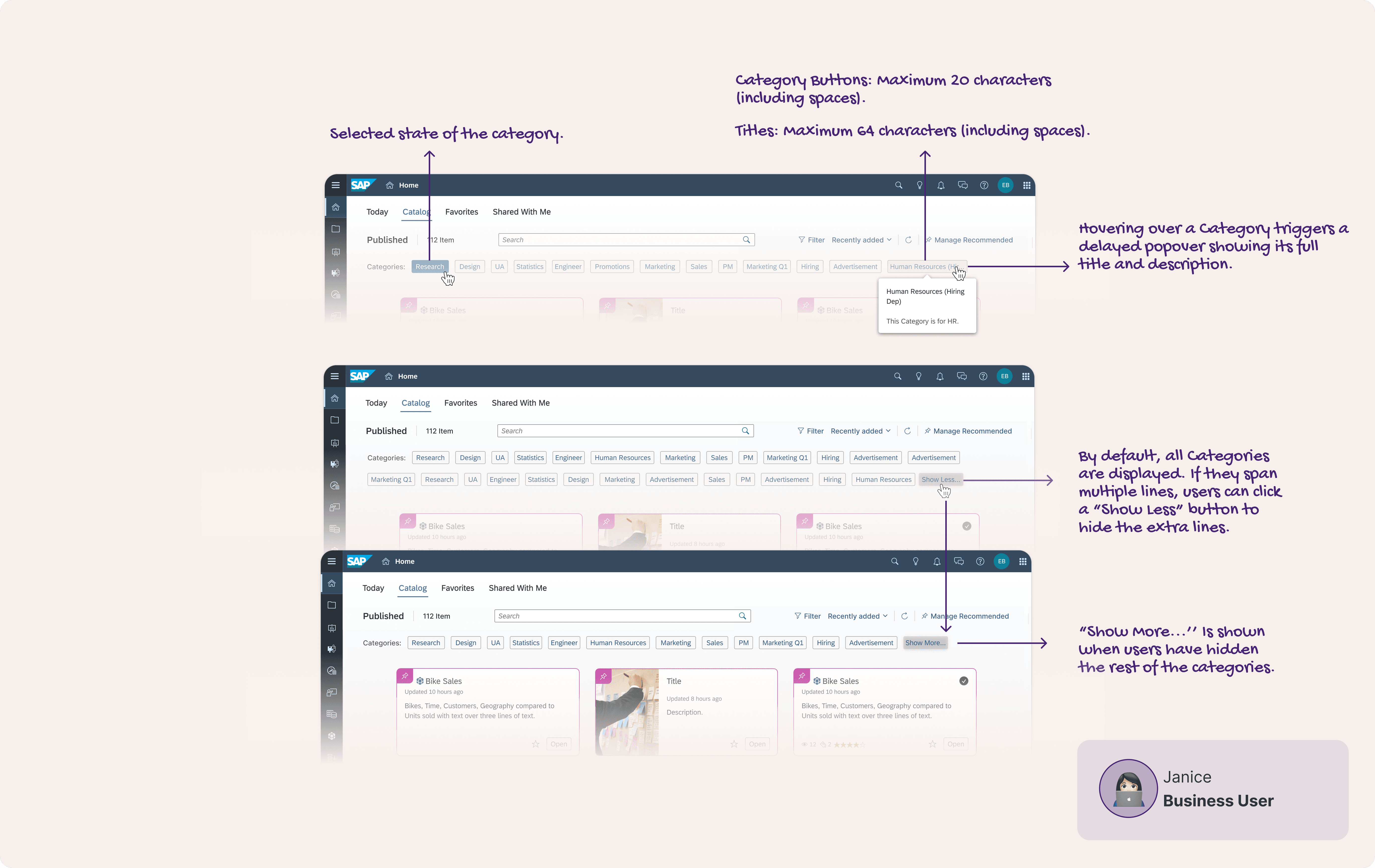
Category Interactions
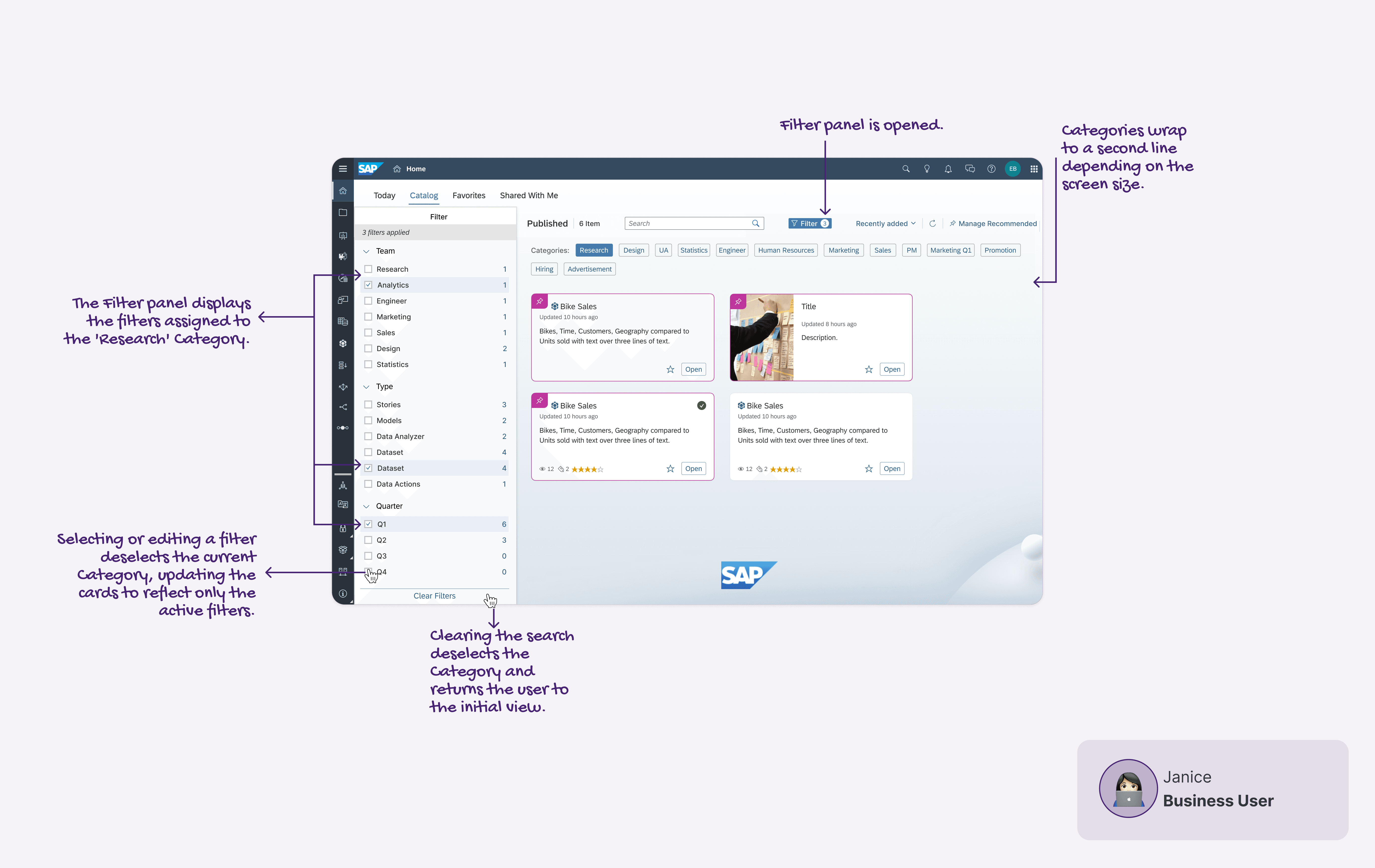
Filter Panel
Category Creation
Category Assignment